
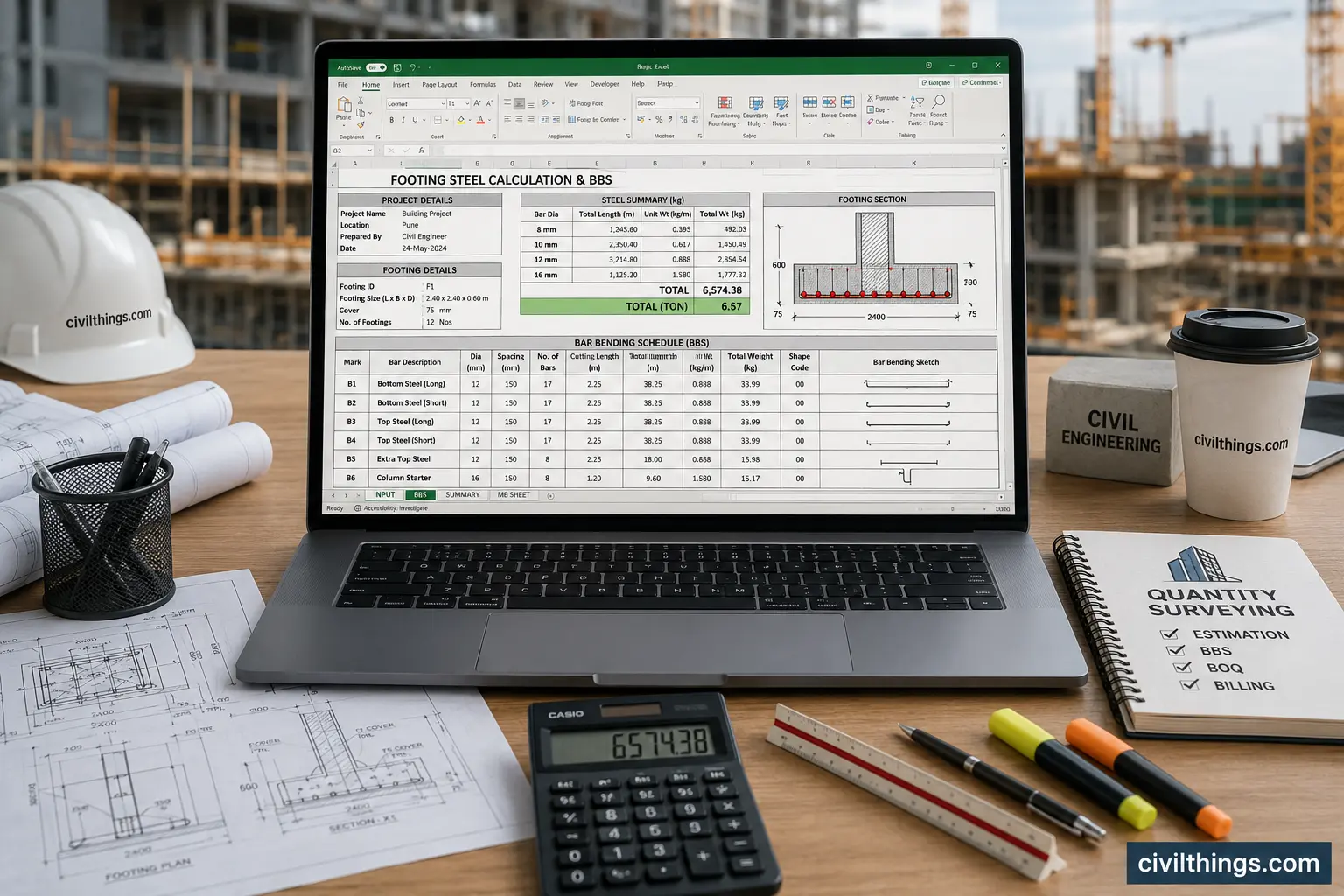
Footing steel calculation Excel is an automated Quantity Surveying (QS) tool used to calculate reinforcement steel in footing directly from structural drawings. ( Download BBS Excel Sheet ) It helps engineers convert bar bending details into quantity (kg/ton) quickly without manual errors. Using an automatic BBS calculator Excel, you can input footing size, bar diameter, spacing, and get accurate steel weight. It is widely used in MB sheets, billing, and site execution for fast and error-free reinforcement calculation.
Table of Contents
What is Footing Steel Calculation Excel?
Footing steel calculation Excel is a digital BBS (Bar Bending Schedule) tool used in civil engineering to calculate reinforcement quantity in isolated, combined, or raft footings.
Instead of manual calculation, you simply enter drawing data like bar diameter, spacing, footing size, and cover, and Excel automatically generates steel weight.
Practical use:
- Site billing (MB Sheet)
- Contractor quantity estimation
- Client certification
- Estimation during tender stage
Why is Footing Steel Calculation Excel Important?
- Reduces human calculation errors in steel quantity
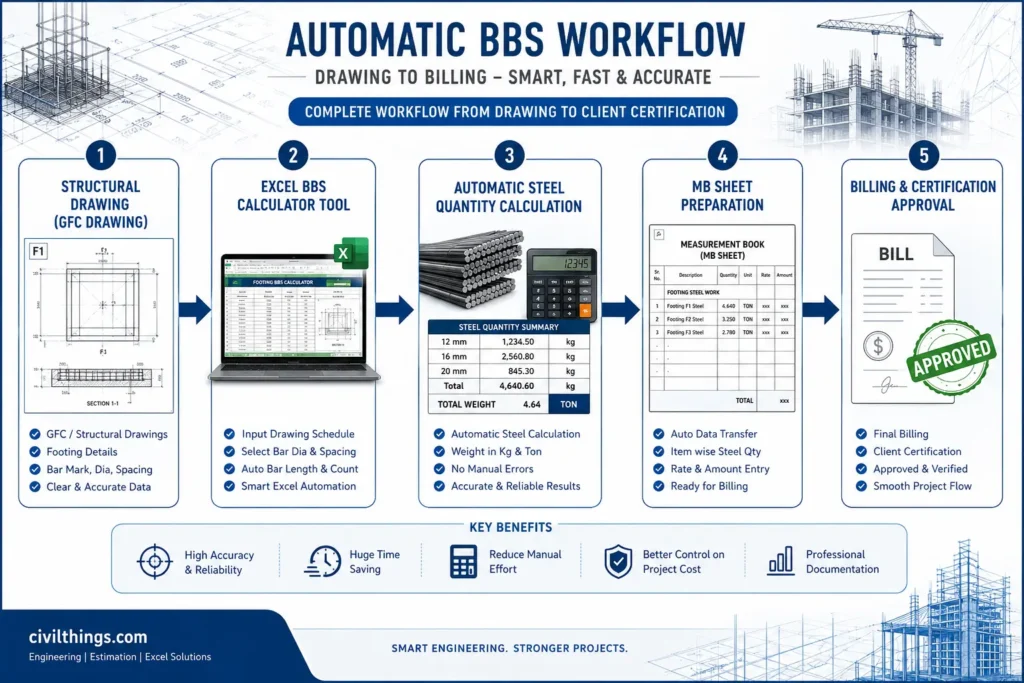
- Saves time in MB sheet preparation and billing
- Improves accuracy in contractor vs client measurement
- Helps in fast project execution and cost control
- Useful for junior QS engineers and site engineer Must try BBS excel sheet download
Required Inputs / Data in BBS Excel Sheet
| Parameter | Description |
|---|---|
| Footing Length | Total length from structural drawing |
| Footing Width | Width of footing slab |
| Cover | Concrete cover (usually 50mm–75mm) |
| Bar Diameter | Main & distribution steel size |
| Spacing | Center-to-center distance of bars |
| No. of Footings | Quantity of similar footing elements |
`
Step-by-Step Calculation
Formula Used:
Steel Weight = (D² / 162) × Length of bar × Number of bars
Where:
D = Bar diameter in mm
Example (Site Case Study):
Footing Size = 2.0m × 2.0m
Bar = 12mm @ 150mm c/c both ways
Cover = 50mmStep 1: Net length of bar
= 2.0 – 2×0.05 = 1.90 m
Step 2: Number of bars
= 1.90 / 0.15 + 1 ≈ 14 bars
Step 3: Total length
= 14 × 1.90 = 26.6 m
Step 4: Weight
= (12² / 162) × 26.6
= (144 / 162) × 26.6
= 0.888 × 26.6
= 23.62 kg
MY PERSENAL Real Site Example

I was working on a project where there were many different types and sizes of footings. As a Quantity Surveyor, I had to prepare both the steel quantity calculation and the Bar Bending Schedule (BBS) for each one. Since I already had a good understanding of steel detailing, I started thinking in a more practical way — instead of doing repeated manual calculations, why not directly convert the drawing schedule into a structured format to calculate steel quantity?

At that point, I decided to develop an Excel sheet. I spent a lot of time doing deep analysis, studying different site conditions, referring multiple BBS formats, and understanding how engineers actually calculate footing steel on site. It was not a quick task — it required proper research, logic building, and validation from different references.

After investing significant time and effort, I finally created an automated Excel sheet. The best part is that now I can simply update the drawing schedule, and within 5 minutes I can get accurate steel quantity for any type of footing. It has made the entire process very fast, efficient, and reliable for QS work.

Project Name: Residential Building RCC Work

Drawing Reference: Structural Footing Layout F-01

Calculation:

Footing type: Isolated footing
Steel: 12mm main + 10mm distribution
Total footings: 25 Nos

Result:
Total steel = 23.62 × 25 = 590.5 kg (~0.59 Ton)
Common Mistakes
Wrong spacing calculation in Excel input
Ignoring cover deduction in bar length
Not separating main steel and distribution steel
Expert QS Tips
✔ Always cross-check drawing scale before entering Excel
✔ Separate footing types in MB sheet for clarity
✔ Use auto BBS Excel for client billing to avoid disputes
✔ Maintain revision control for structural changes
✔ Always verify steel weight with site engineer before certification
Download Free Automatic Footing BBS Excel Sheet
Conclusion
Footing steel calculation Excel is a very useful tool for Quantity Surveying and civil engineering work. It helps to save time and reduces manual work. It also makes steel quantity calculation more correct and fast for billing and estimation must see BBS excel sheet download.
With an automatic BBS calculator Excel, engineers can easily handle many different footings in one project without mistakes.
👉 Download the Excel file and improve your MB sheet work today.
👉 Subscribe for more easy QS Excel tools and civil engineering tips.
👉 Extra Knowlage of Estimation Must Visit – ( Download Free ) Building Estimation Excel Sheet
Can I use BBS Excel sheet for billing?
Yes BRO , it is widely used in MB sheets and client certification for billing.
Can I download footing BBS Excel sheet free?
100% Yes, many QS tools provide free and paid versions for download. Its depend on owner of that sheet

Hi! I’m Sandip, a civil engineer who loves sharing about Civil Engineering & new ideas and tips. My blog helps you learn about engineering in a fun and easy way!